Practical advice for buying, using, and looking after your two-way radios.
Latest buying guides
APX Vehicle Charger vs Vehicular Adapter: Buyer’s Guide — Compare the job, included parts, compatibility and used condition of the NNTN7619C and NNTN8527 listings.
Motorola Speaker Mics: How to Check Compatibility — Match the part number and connector, then check which controls you need at the shoulder.
Buying a Used Mobile Radio Kit: What Should Be Included? — Check control heads, cables, mounts and audio using examples from the APX 4500, APX 7500 and XPR5550e listings.
Buying a Used Motorola APX 7000: What to Check — published October 30, 2026. Compare listed band splits, unit features and kit contents before requesting a quote.
For a general inspection checklist, read Buying Used Two-Way Radio.
There is more to choosing a radio than finding a model at the right price. The equipment has to suit the job, work with the rest of your setup, and arrive with the accessories you need. These guides cover the questions we hear most often.
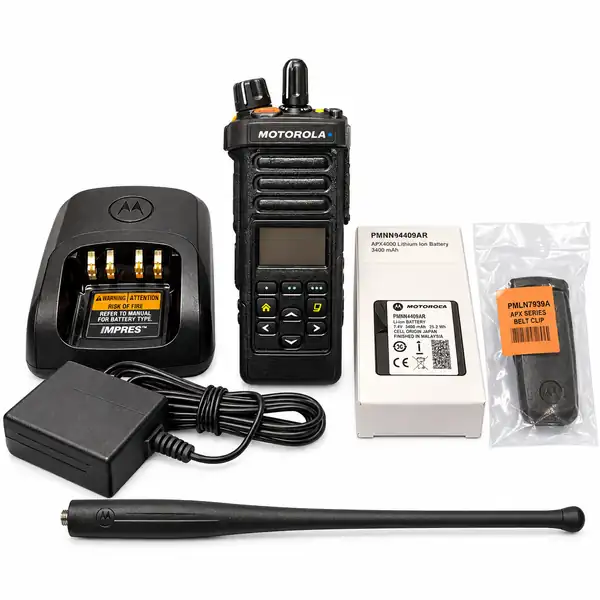
Portable or mobile: start with the way you work
Before comparing model numbers, think about where the radio will spend most of its time. Will someone carry it around a site all day, or will it stay in a vehicle? That one question can narrow the choices considerably.
When a portable radio makes sense
A portable radio goes with the person using it. That makes it a practical choice for staff moving between rooms, working across a yard, or handling jobs away from a vehicle. Consider the size and weight as well as the controls. A radio that feels comfortable in your hand at a desk may be less convenient when clipped to your belt for an entire shift.
Think about the accessories your team actually uses. A speaker microphone may suit someone wearing gloves. An earpiece may be useful where staff need to hear calls without putting every conversation on the room’s loudspeaker. For long shifts, ask about the battery supplied with the particular unit and whether a spare battery or another charging point would help.
When to look at a mobile radio
A mobile radio is installed in a vehicle or a fixed working position. Budget for the installation as well as the radio itself. You may need a suitable power connection, mounting hardware, microphone, antenna, and cable, depending on what comes in the kit.
Check where the equipment will be mounted and whether the driver can reach the controls comfortably. A tidy installation should leave the vehicle’s normal controls and safety equipment clear. Ask a qualified installer to assess the work if you are unsure about power or antenna placement.
Using both in one team
Some teams need both types. Staff on foot use portable radios, while vehicle operators use installed units. Sharing a brand name does not establish compatibility on its own. Send us the model numbers and the details of the existing system so we can check the exact equipment before recommending an addition.
Browse portable radios or browse mobile radios. If you are replacing existing equipment, include a clear photo of its label in your inquiry.
What to confirm before buying a radio
Read our complete used two-way radio buying checklist for questions about condition, programming, batteries, accessories and the final quote.
A listing can tell you the model and price, but it may not answer every question about the specific unit. Ask for the details before payment, especially if you are adding a radio to equipment you already own.
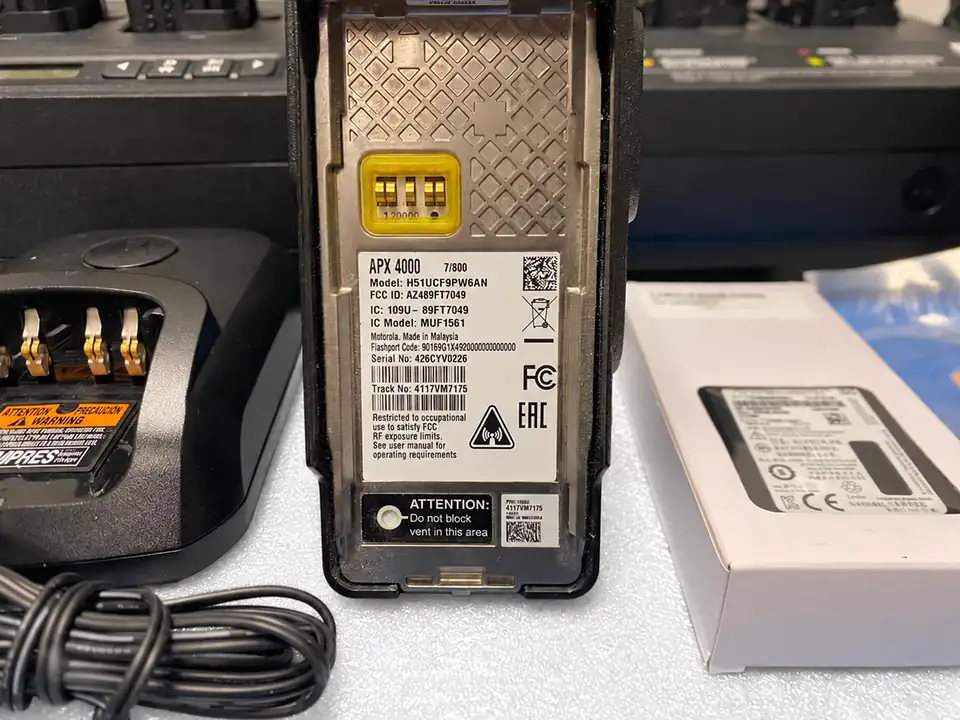
Identify the exact unit
Start with the complete model number, not just the product family. Check the frequency band, enabled features, and configuration with the seller. If the radio has a stock reference, keep it in your messages so everyone is discussing the same item.
Photos should show the actual equipment you are buying when its condition matters. Ask for another angle or a clear label photo if a detail is difficult to see. A picture of a similar model should not take the place of confirmation about your particular unit.
Read the condition and kit contents
Make sure you know whether the equipment is new or used. With a used unit, ask about wear, the battery supplied, and what has been checked. A cosmetic mark and a fault are different things, but both should be explained clearly.
Write down what comes with the radio. A kit might include a charger, antenna, belt clip, or microphone; another listing may be for the radio alone. Confirm each item rather than assuming that everything shown in a general product photo is included.
Discuss setup before delivery
Tell the seller whether you need the equipment supplied in a particular configuration or whether your own technician will handle setup. If it has to work on an existing network, ask the person responsible for that system to confirm the requirements.
Also confirm the price of the complete order, including shipping and any agreed setup work. If you are buying several radios, state the quantity and ask whether matching units are available.
Keep the agreement in writing
Save the quote, the agreed item description, the included accessories, and the dispatch estimate. These records make it easier to check the delivery and get help if anything differs from the agreement.
Our buying checklist is a useful place to start. For a particular listing, use the inquiry button and tell us exactly what you need confirmed.
Buying accessories without the guesswork
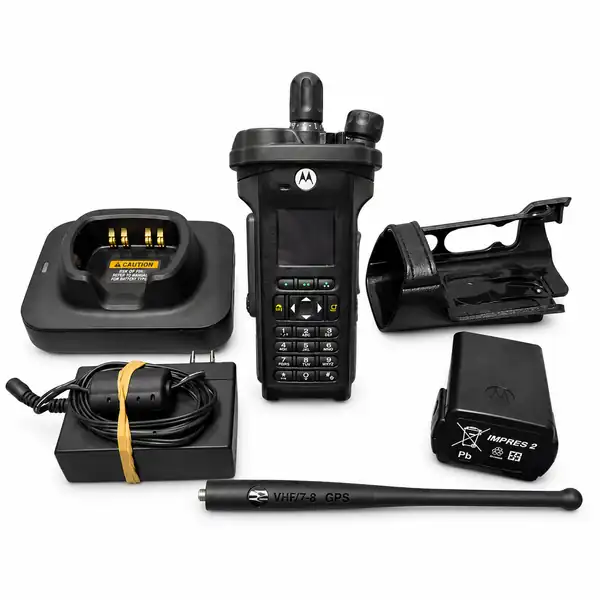
A spare battery or replacement microphone sounds like a simple purchase, until several similar-looking versions appear in the search results. Check compatibility first. The brand on the accessory is only the starting point.
Send the full radio model
When asking about a battery, charger, antenna, or microphone, send the radio’s complete model number. If you can, include the part number of the accessory you already use. A clear photo of the connector or label can help when a number has worn away.
Tell us whether you want a direct replacement or a different setup. Replacing a worn battery is a different request from adding enough charging spaces for a growing team.
Check the whole charging arrangement
For a charger, confirm the battery it is intended to charge and the power supply included. If the charger is going to another country, ask about the plug and supply requirements before dispatch.
For a team using several radios, think about where charging happens at the end of a shift. Individual chargers may suit people who take equipment home; a shared charging area may make sense when radios are issued from one location. Ask for a solution that matches your routine rather than choosing by appearance alone.
Choose an audio accessory for the job
Explain the working environment. Is the radio used indoors, outside, in a vehicle, or around noise? Does the user wear gloves or protective equipment? Does the microphone need to sit on a jacket, or will the radio be carried on a belt?
Those details help narrow the choices, but the final accessory still needs to match the radio’s connector and supported functions. Ask us to confirm that match in writing.
A useful inquiry takes less than a minute
Include the radio model, accessory part number if known, quantity, and delivery destination. Add a photo when it helps. We can then check the item and quote for the right version.
What to include in a radio rental request
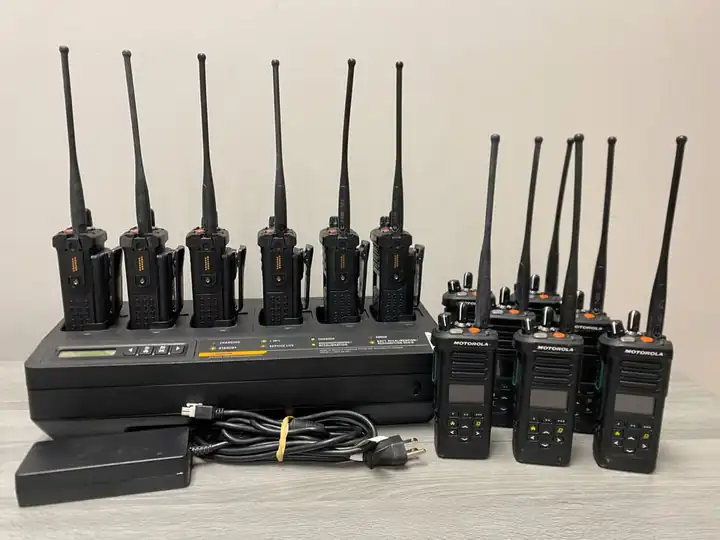
A useful rental quote starts with the job, not just the number of radios. Tell us where the equipment will be used, how long you need it, and who will carry it. We will discuss availability and the setup rather than treating an inquiry as a confirmed booking.
Count the people who need to talk to each other during the busiest part of the job. Include supervisors and any staff working separately. If you want spare units, say so rather than adding them silently to the total.
Give the rental dates and allow time for delivery and return arrangements. If the radios are needed early on the first day, include that detail. An event date alone does not tell us when the equipment needs to be in your hands.
Describe the site in plain terms: indoor rooms, multiple floors, outdoor areas, vehicles, or a mixture. Mention any existing radios or system the rental units must work with. Let us know if your staff need earpieces, speaker microphones, extra batteries, or particular charging arrangements.
Finally, give the delivery location and contact details for the person arranging the rental. We can then confirm the proposed equipment, costs, availability, and return requirements with you.